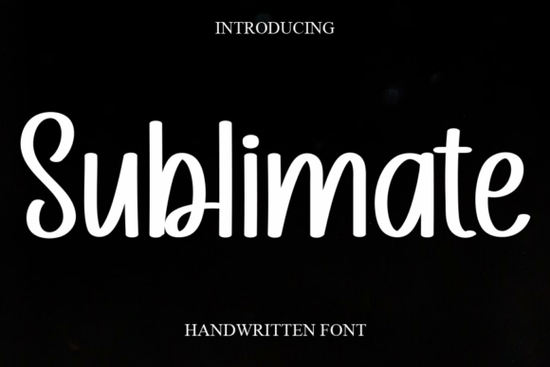
If you're looking for a handwritten script that feels personal without being overly formal, the Sublimate Font might be exactly what your next project needs. It’s a sweet, flowing cursive with just enough softness to feel approachable ideal for designs that call for warmth and charm rather than rigid perfection. Whether you’re creating wedding invitations, branding materials, or seasonal greeting cards, Sublimate adds a joyful, romantic touch without overwhelming your layout.
What makes this font especially useful is its balance between elegance and casual readability. Unlike some ornate scripts that can become hard to decipher at smaller sizes, Sublimate maintains clarity while still delivering that hand-lettered aesthetic many customers love. That’s why it works so well across print-on-demand products like mugs, tote bags, and apparel places where personality matters as much as polish.
When should you use a font like Sublimate?
You’ll get the most out of Sublimate in projects that benefit from a gentle, human touch:
- Wedding stationery – think save-the-dates, place cards, or thank-you notes
- Branding for lifestyle businesses – especially bakeries, florists, or boutique shops
- Greeting cards and gift tags – seasonal or everyday messages feel more heartfelt
- Fashion lookbooks or product labels – where a soft, feminine vibe aligns with your brand
- Social media quotes or digital promotions – ideal for relatable, uplifting content
If your design goal is to feel inviting rather than corporate, Sublimate fits right in. And because it’s a single-style font (not part of a large family), it’s easy to implement without overcomplicating your typography choices.
How does it compare to other handwritten fonts?
Handwritten scripts come in all personalities from bold brush strokes to delicate single-line styles. Sublimate leans toward the latter: light, airy, and consistent in weight. If you’ve used fonts like Better Together or Strawberry Chesscake, you’ll notice Sublimate shares that friendly, unpretentious energy but with smoother connections and slightly more formal letterforms.
For contrast, Milkshake offers bouncier, more playful curves, while Paint Brush Script mimics actual brush texture for a grittier, artisanal look. And if you need something ultra-minimal for engraving or embroidery, Rainy Winter delivers clean, single-line simplicity. Each has its place but Sublimate stands out when you want romance without fuss.
You can explore how Sublimate stacks up against similar options by checking out the full collection on Sublimate Font.
Tips for using Sublimate effectively
Because it’s a connected cursive, spacing and context matter. Here’s how to get the best results:
- Avoid all-caps usage. Sublimate is designed as a lowercase-dominant script; uppercase letters are meant for initials or accents, not full words.
- Pair it with a simple sans-serif. Fonts like Montserrat, Lato, or even system defaults (Arial, Helvetica) provide clean contrast without competing.
- Use generous line spacing. Tight leading can make the loops and tails collide especially in multi-line quotes or product descriptions.
- Test at real-world sizes. What looks lovely on screen might blur on a small sticker or embroidered patch. Always preview at final output size.
Also, remember that Sublimate includes standard ligatures and alternates in most design software (like Adobe Illustrator or Canva Pro). Enabling OpenType features can give your text subtle variations that mimic natural handwriting just don’t overdo it. A few swapped characters go a long way.
Who is this font really for?
Sublimate shines for small business owners and creators who value authenticity. If you run an Etsy shop selling custom wedding signs, design printable planners, or create merch for a cozy café brand, this font helps your work feel handmade even when it’s digitally produced. It’s also beginner-friendly: no complex layering or extra files needed, just install and start typing.
That said, if your project demands high legibility at tiny sizes (like fine print on packaging) or a bold, attention-grabbing headline style, you might want to consider a thicker script or a complementary display font instead.
Before you finalize your choice, ask yourself: Does my audience respond to warmth and intimacy over sleek minimalism? If yes, Sublimate is worth a try.
Ready to use Sublimate? Here’s your quick checklist:
- ✅ Confirm your software supports OpenType features (for best results)
- ✅ Pair with a neutral sans-serif for body text or supporting info
- ✅ Avoid using in all caps or very small point sizes
- ✅ Test print or mockup your design before bulk production
- ✅ Consider licensing if you’re selling physical products, make sure your Creative Fabrica subscription covers commercial use
With its blend of grace and ease, Sublimate isn’t just another pretty script it’s a practical tool for creators who want their work to feel both polished and personal.
Get Started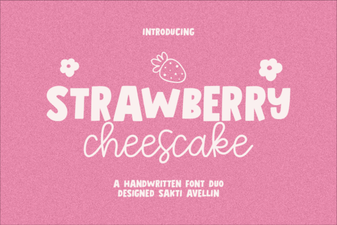 The Strawberry Chesscake Font in Creative Design
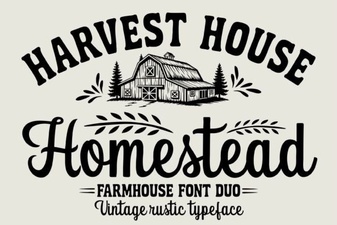 Homestead Font: a Rustic Design Toolkit
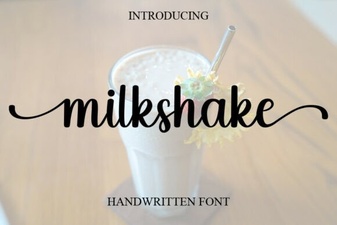 Milkshake Font for Creative Digital Projects
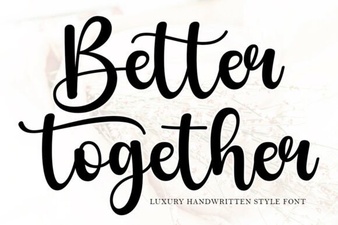 Better Together: a Complete Pairing Guide
 Unlock Creative Design with the Like Magic Font Library
 Sophia Font: Creative Type Design for Modern Projects